Android · built for Turkey
When does your card close, and when is the instalment due?
Money Agenda shows what is coming, not what is past. Card statement and due dates, instalments, loans, subscriptions and domain renewals gather in one calendar and remind you before the date arrives.
- Every feature is free
- Works without signing in
- Your data stays on your phone
Not a ledger — an obligation assistant
Most budgeting apps tell you what you spent. That is usually not the problem. The problem is missing the statement date and rolling into the next cycle, forgetting an instalment, letting a domain lapse quietly.
The home screen looks forward
Whatever is due today and in the coming days sits at the top — not last month’s chart.
The calendar maths is right
Statement day, due date, billing cycle, minimum payment — all computed by each card’s own rules.
Reminders actually arrive
Exact alarms are used; the schedule survives device idle and a reboot.
What it keeps track of
All of it in one calendar, so you are not opening separate apps.
Credit cards
Statement and due dates, billing cycles, minimum payment, balance and remaining limit.
Instalments and loans
Instalment plans, loan amortisation, and effective cost including Turkish BSMV/KKDF levies.
Subscriptions and renewals
Subscriptions, domains, hosting, SSL, insurance — anything that renews, with its date.
Budgets and reports
Category budgets, goals, monthly reports; export to CSV, XLSX and PDF.
Reminders
Alerts before and after the due date, quiet hours, a daily digest, a separate channel per type.
Security
Encrypted local backup, PIN and fingerprint lock, amount masking.
From the app
A warm, calm interface: one accent colour, monospaced figures, no decoration for its own sake.
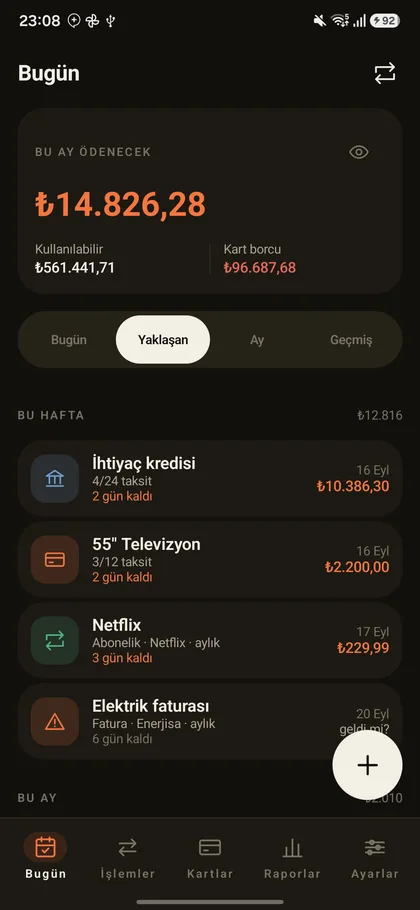
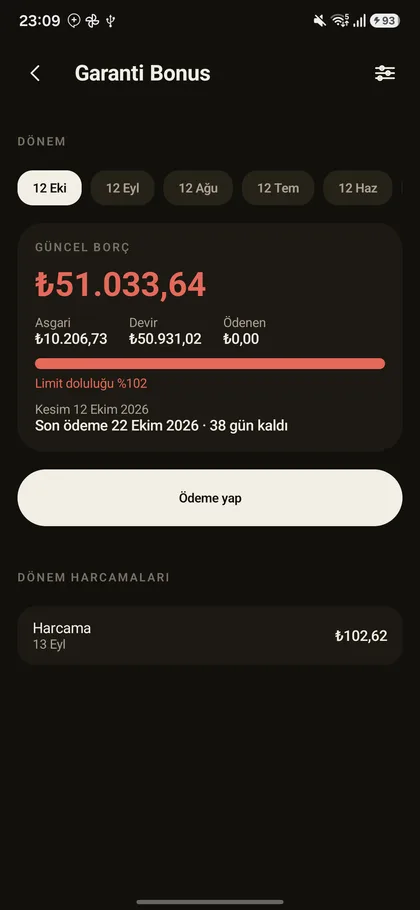
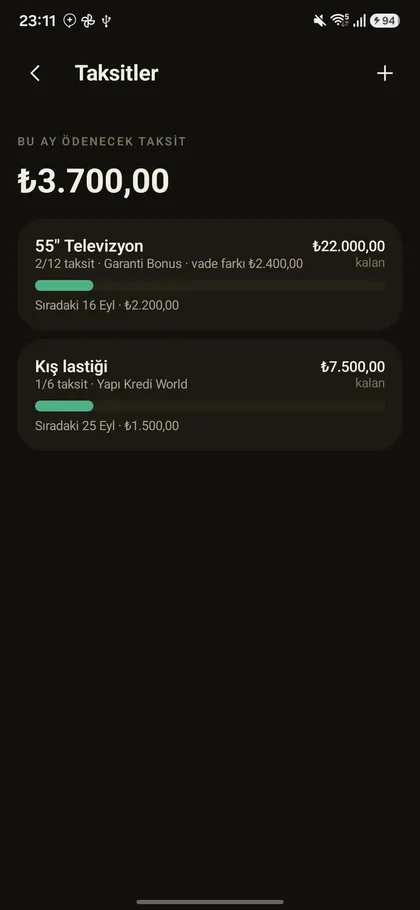
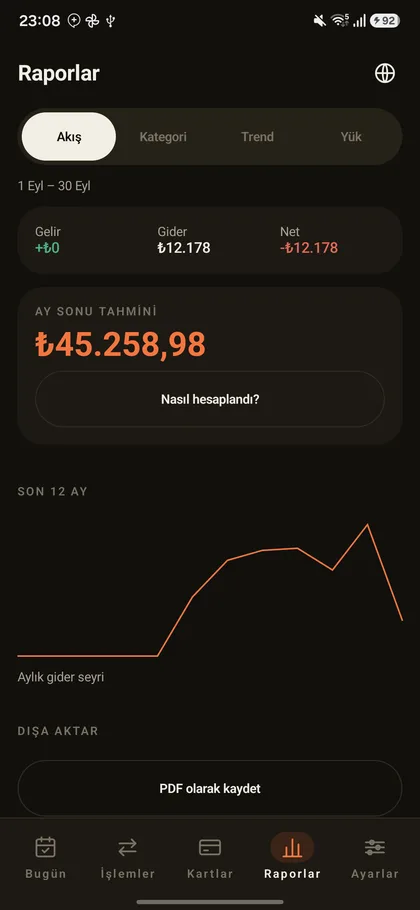
It knows the Turkish banking calendar
The calculations inside the app are written against Turkey-specific rules and covered by unit tests. Where a general budgeting app gives an approximate answer, this one gives an exact one.
- The gap between statement day and due date is set per card
- Days that do not exist in every month (the 29th to 31st) shift correctly
- Loan cost accounts for the BSMV and KKDF levies
- Foreign currency amounts use the Turkish central bank rate
- Amounts are held to the kuruş; no decimal rounding drift
Your data stays on your phone
The app works fully without signing in; no feature depends on an account. Cloud backup is optional and does nothing until you turn it on.
- No connection to your bank — there is no open banking integration
- No SMS read permission is requested
- Financial data such as amounts, card names and people’s names is never sent to an ad network or analytics service
- No AI is used; every calculation is deterministic and explained on screen
Frequently asked
Is the app free?
Where does my data go?
Does it work offline?
Does it connect to my bank?
Do reminders actually arrive on time?
Is there an iPhone version?
Do not miss the next payment
Download it free from Google Play. You do not need an account after installing.
Get it on Google Play